 Knock Knock
Never miss the start of a meeting.
Knock Knock watches your calendar and rings you a minute before each meeting, like an incoming call. Join with one click, or snooze it.
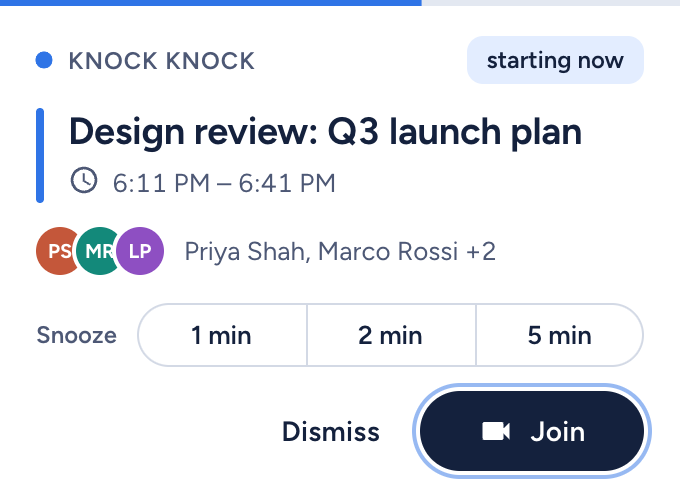
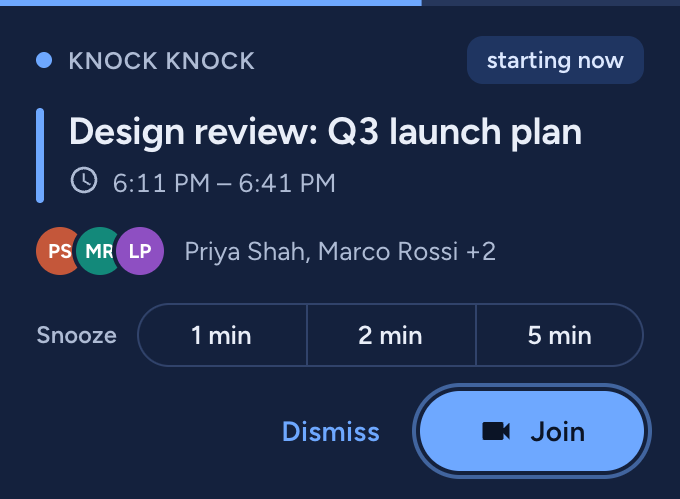
Rings before it starts
A small window opens in the corner of your screen and rings, one minute before (or whenever you choose).
Join or snooze
Join opens the meeting link straight away. Snooze 1, 2 or 5 minutes, and it knocks again.
Private by design
Read-only calendar access. Your events stay in your browser: no servers, no tracking.
How it works
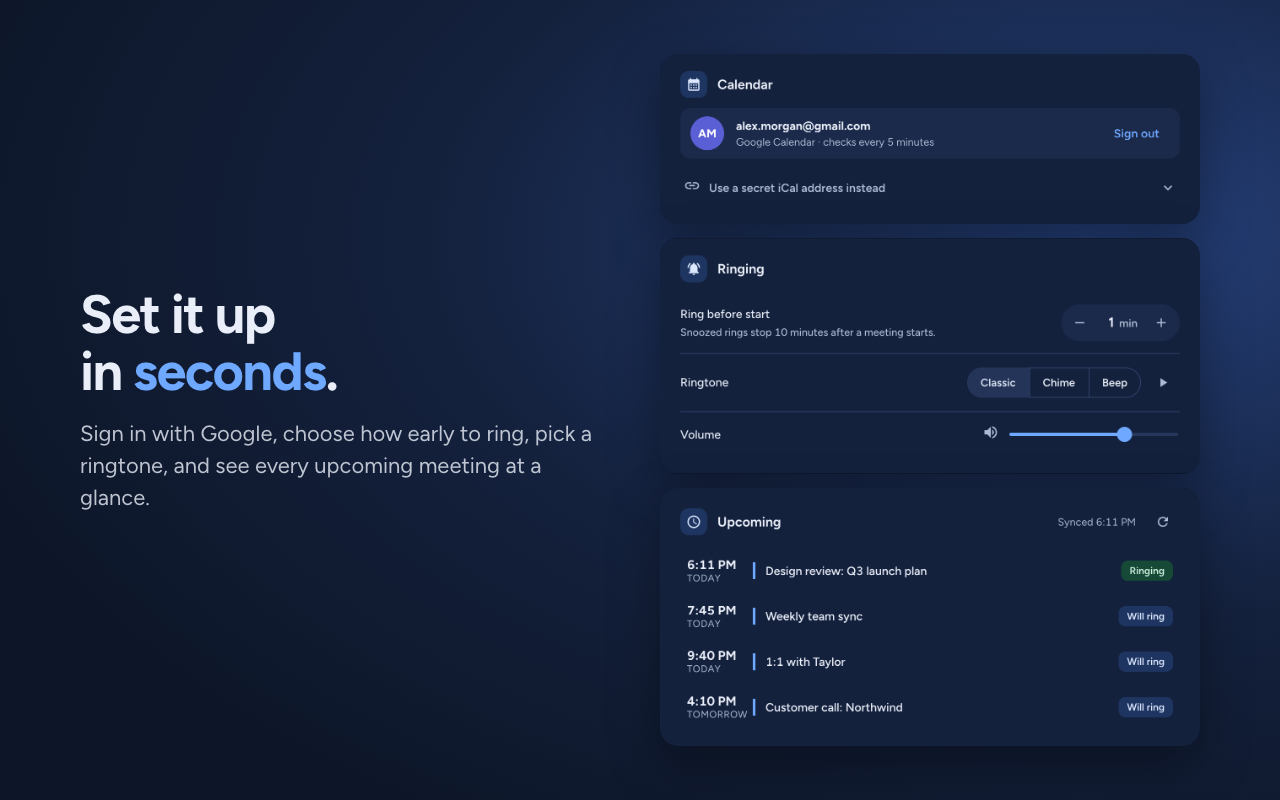
Install the extension and sign in with Google. Knock Knock checks your primary calendar every few minutes and schedules a ring for every video meeting you haven't declined (Google Meet links today). If a meeting moves, so does the ring. Unanswered rings snooze themselves, and they stop 10 minutes after the meeting starts.
Why Knock Knock asks for calendar access
When you sign in with Google, Knock Knock asks for one permission: read-only access to your Google Calendar events (calendar.events.readonly). It uses that access only to find your upcoming meetings, so it can ring you before each one. From each event it reads the start and end time, the title and attendees (to show them in the ring window), the video-meeting link (so Join opens it), and your own response (so meetings you declined don't ring).
Knock Knock can't change your calendar. The events it reads are stored only in your browser and are never sent to us or to anyone else. There's no server, no analytics and no advertising. You can sign out or revoke access at any time. Full details are in the privacy policy.
Install
Knock Knock works in Chrome and other Chromium browsers, and in Firefox and Zen. Store links are coming soon.